HyperMesh Course
Learn HyperMesh from beginner to advanced level and master finite element pre-processing, 2D meshing, 3D meshing, geometry cleanup, quality checks, and simulation preparation workflows used in automotive, aerospace, and manufacturing industries.
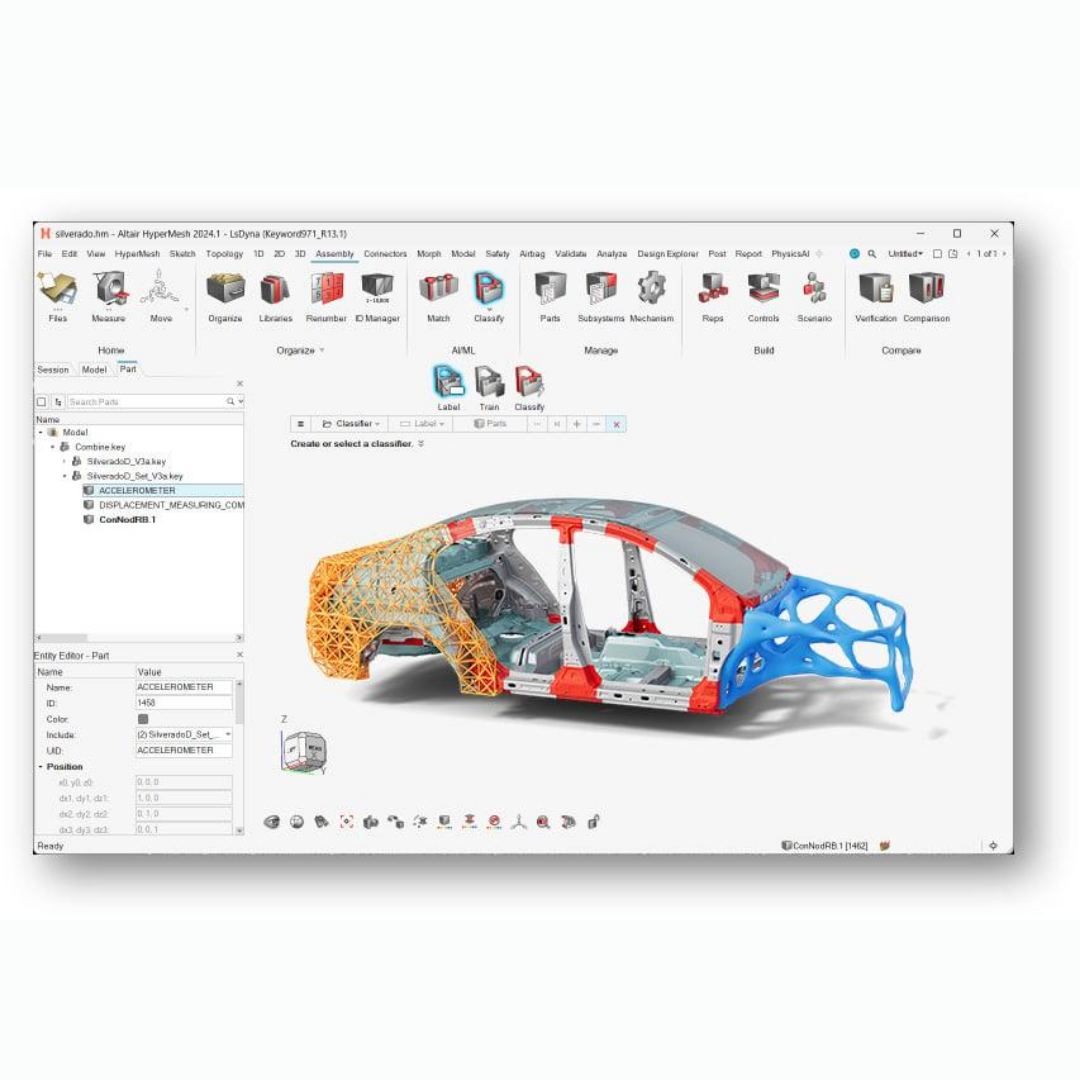
Complete HyperMesh Training
Beginner → Advanced Level Training
Course Overview
HyperMesh is one of the most powerful finite element pre-processing software solutions widely used in automotive, aerospace, industrial equipment, and product engineering industries. This course is specially designed for mechanical engineers, diploma students, engineering students, and professionals who want to master meshing, model preparation, geometry cleanup, and FEA simulation workflows. Students will learn how to prepare complex CAD models, generate high-quality meshes, apply quality criteria, and create simulation-ready models for structural and thermal analysis. The training includes practical projects, industrial workflows, real-time engineering applications, and hands-on exercises to develop strong simulation and analysis preparation skills. By the end of the course, students will confidently create, edit, optimize, and validate finite element models using HyperMesh software.
Course Syllabus
Introduction to HyperMesh
User Interface and Navigation
Meshing Tools and Commands
Basic FEA Concepts
Geometry Preparation
CAD Import and Cleanup
Defeaturing Techniques
Surface Editing
Topology Cleanup
Geometry Repair Tools
Creating 2D Meshes
Surface Meshing
Element Quality Checks
Mesh Optimization
Boundary Conditions Preparation
Solid Meshing Techniques
Hexa and Tetra Meshing
Volume Meshing
Mesh Editing and Refinement
3D Element Quality Checks
Spot Weld Connections
Seam Welds
Bolt Connections
Connector Creation
Assembly Management
Aspect Ratio
Warpage
Skewness
Jacobian Checks
Mesh Quality Improvement Techniques
Exporting Solver Decks
Introduction to OptiStruct
Load and Constraint Definitions
Material Properties
Simulation Preparation
Result Visualization
Stress and Deformation Analysis
Creating Reports
Animation Generation
Rendering and Result Interpretation