Advanced Excel
Master advanced Excel skills including formulas, pivot tables, dashboards, automation, charts, analytics, and business reporting with real-world projects and practical training.
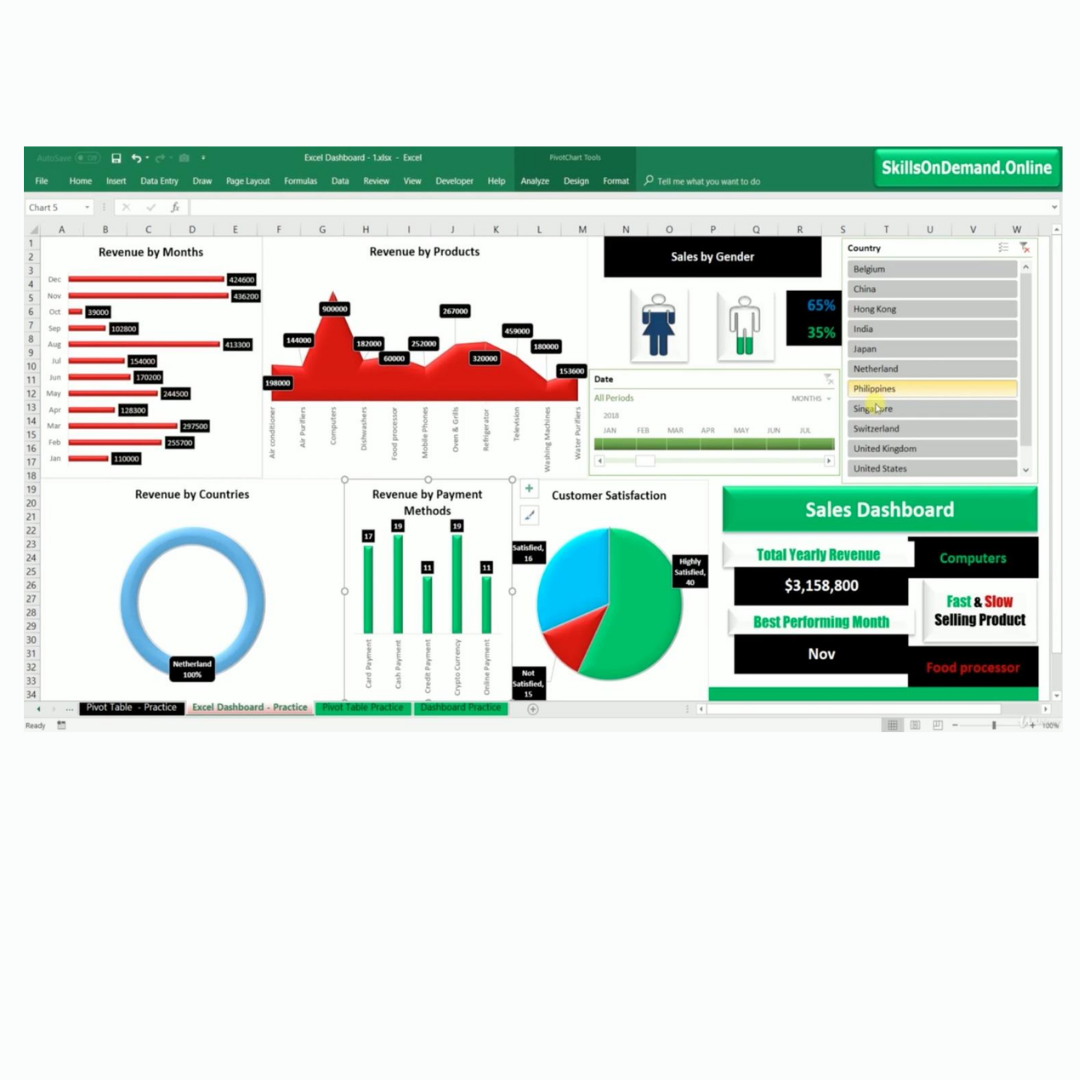
Complete Advanced Excel Course
Beginner → Advanced Level Training
Course Overview
Advanced Excel skills are essential for professionals working in data analysis, business operations, finance, reporting, and management. This course helps students master formulas, pivot tables, charts, dashboards, automation, data validation, macros, and advanced Excel tools used in real industries. Students will learn how to organize, analyze, visualize, and automate data efficiently using modern Excel techniques. The course is designed for beginners, working professionals, business analysts, accountants, office staff, students, and anyone looking to improve productivity and data handling skills. By the end of the course, students will be able to create professional reports, dashboards, automated spreadsheets, and advanced business analysis systems confidently.
Course Syllabus
Introduction to Excel
Workbook & Worksheet Basics
Data Entry & Formatting
Rows, Columns & Cells
Excel Navigation
Basic Calculations
Shortcut Keys
Page Setup & Printing
Basic Functions
IF Functions
Lookup Functions
VLOOKUP & HLOOKUP
Logical Functions
Text Functions
Date & Time Functions
Statistical Functions
Sorting & Filtering
Conditional Formatting
Data Validation
Subtotal
What If Analysis
Goal Seek
Data Tools
Advanced Filters
Pivot Tables
Pivot Charts
Interactive Dashboards
Excel Charts & Graphs
Data Visualization
Dynamic Reports
Formatting Dashboards
Introduction to Macros
Recording Macros
Automation Basics
Freeze Panes
Protect Workbook
Formula Auditing
Advanced Excel Productivity Tools